 PBXDom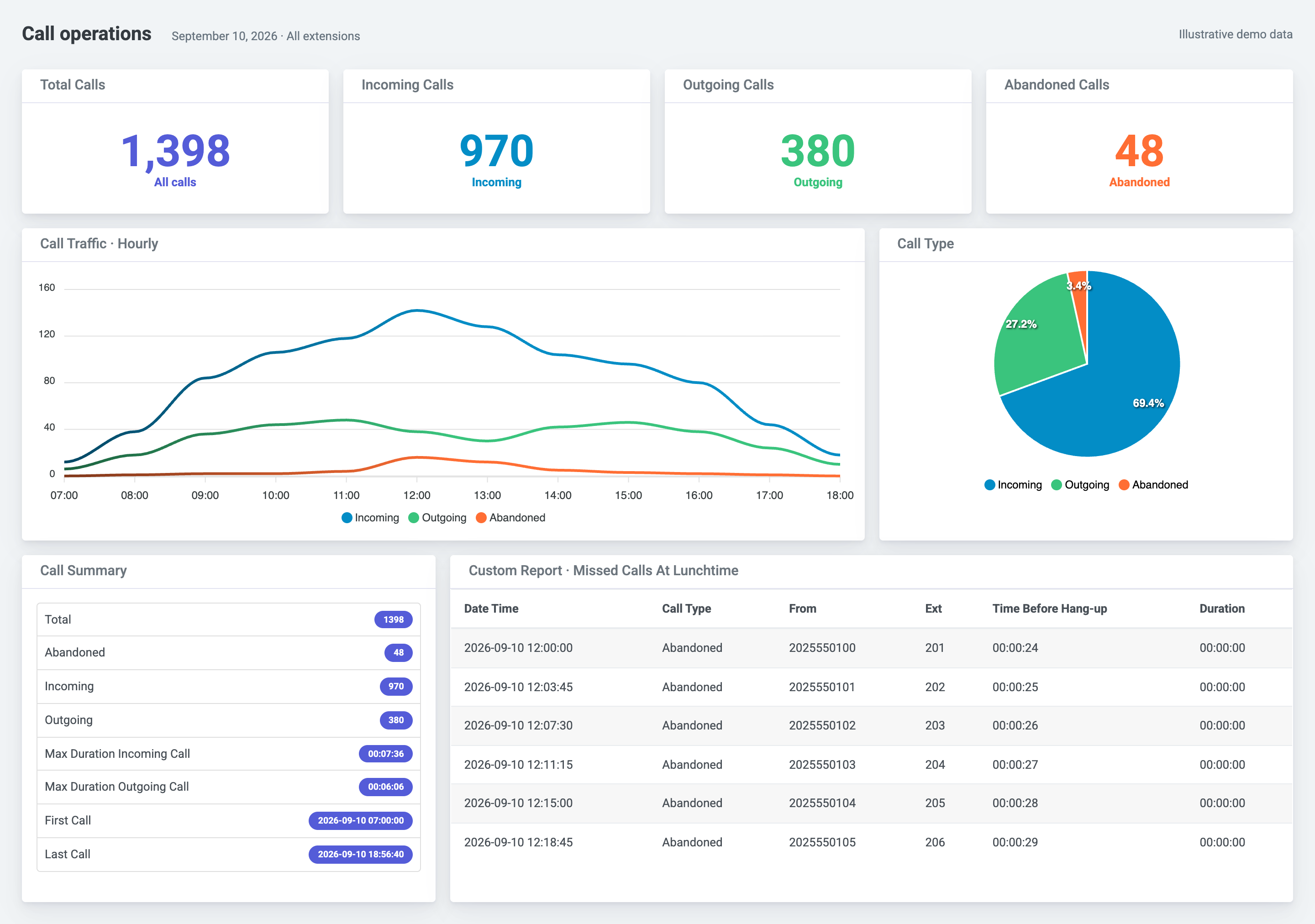
Find the collection method for your Avaya system
PBXDom collects the call records your Avaya system makes available and organizes them for reporting. The current supported catalog contains these two families:
| System in the PBXDom catalog | Documented collection path | What to confirm |
|---|---|---|
| IP Office 500/Server Edition | SMDR over LAN; model notes use IP Office listen mode and TCP port 2300 | Exact release, enabled SMDR output, and collector access to the PBX |
| Aura Communication Manager | Collector configured as a TCP/IP server on port 9000 | PBX-side CDR configuration and record format with support |
These are the configurations documented in the linked model pages, not universal Avaya defaults. Select your system below or check Avaya compatibility before changing a working call-record connection.
What you can report on
Use PBXDom to search call history, review call counts and duration by extension, and examine incoming and outgoing activity. Call-accounting views use your configured rating rules to help allocate costs. Available detail depends on the fields and call types your system exports.
- Call-history sample: see how individual records become a searchable report.
- Frequently dialed numbers sample: explore outbound calling patterns.
- Call accounting: review the reporting and cost-allocation use case.
Confirm missed-call and forwarded-call output on your own system during evaluation. A call record does not necessarily describe every queue event or agent state.
IP Office setup requirements
The documented PBXDom IP Office model configuration uses an always-on Windows collector with network access to the PBX. In IP Office Manager, the SMDR address 0.0.0.0 selects listen mode; the collector connects to the PBX address and matching port. Our model notes use port 2300.
Avaya also documents send mode, where IP Office connects to a receiving application. The two modes require opposite TCP roles. Follow the exact model configuration when setting up PBXDom. See Avaya’s SMDR settings reference for the distinction.
Before installation, confirm administrative access, the collector host, the local network path, and outbound access to PBXDom. If another application already collects SMDR, confirm how to preserve that service before changing the output configuration. Connection time depends on these requirements.
Understand when reports and alerts update
IP Office SMDR describes completed calls. Dashboards and record-based alerts can update only after the relevant records become available and reach PBXDom. Confirm timing and available fields for your exact system and intended use.
For Aura Communication Manager, the model pages document the collector connection but refer PBX-side settings to support. Confirm the output configuration before scheduling installation. Security and data flow explains the collector architecture and the deployment questions to resolve.
Evaluate your Avaya deployment
Check your Avaya system without providing an email. Review the model, collection requirements, and likely plan, then choose guided or self-setup for the 14-day trial. You can also review pricing and open the sample reports before starting.
Historical Avaya references
Session Manager, Communication Server 1000 and IP Office 406 are not currently supported by PBXDom. Their historical reference pages remain available for technical research and do not add options to the current supported catalog.